
My Mobile Secure VPN
VoiceFive, Inc.Tools
3.63.18K Reviews
- Version
- 1.1.46.0
- Installs
- 10.00M
- Age Rating
- Everyone
Screenshots
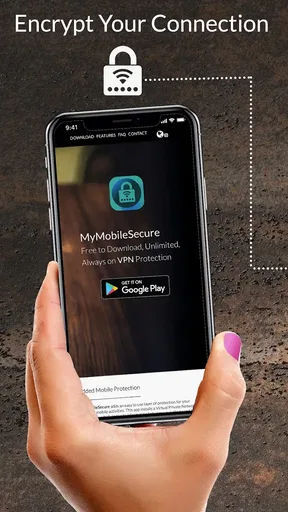
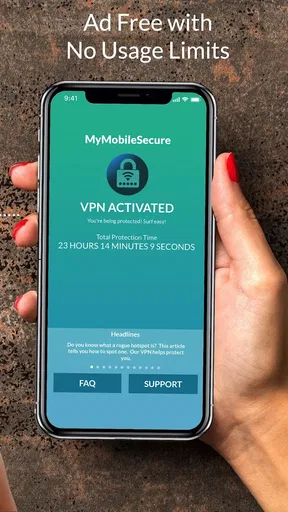
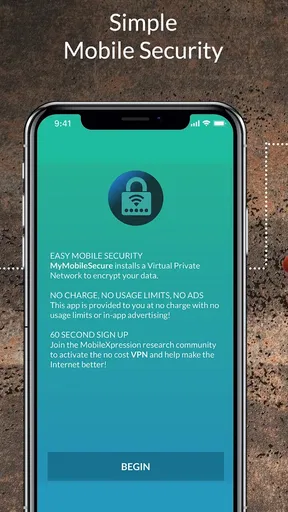
Our Review of My Mobile Secure VPN
 Analysis by Appyee
My first impression of My Mobile Secure VPN was that it is built for a very specific mobile habit: connecting to the internet through networks I do not completely trust. It is a free tools app from VoiceFive, Inc., and its purpose is straightforward—place a VPN connection between the phone and the services I use online. That makes it relevant when I am moving between home Wi-Fi, public hotspots, and mobile data, but it also means the quality of the experience depends heavily on the connection underneath it.
I would not describe this as an app I open for entertainment or daily organization. It is more like a protective layer I decide to activate before browsing, checking email, using an account, or handling anything personal on a network shared with other people. The store presents it around encryption and unrestricted speeds, but my recommendation is more measured: it can be useful for ordinary mobile privacy, while people who need advanced VPN controls should approach it with different expectations.
How the connection changes the everyday experience
I find the everyday difference is less about a dramatic speed change and more about building a repeatable habit: check which network the phone is using, connect before opening an account, and verify the VPN after moving between Wi-Fi and cellular. That small pause helps me notice when the underlying connection—not the app—is the real obstacle. It also makes the handoff between networks easier to manage without assuming protection stayed active.
Why network conditions matter more than the button itself
A VPN cannot improve a weak signal, repair an overloaded hotspot, or make a distant server feel local. That is the first practical point I would keep in mind. When the underlying Wi-Fi is already unstable, adding a secure connection can make the transition feel more noticeable. Pages may take longer to begin loading, a video call may become less consistent, or an app that depends on a quick exchange with its server may pause while the VPN connection is being established.
On a reliable connection, the experience is easier to judge because the app becomes less visible. I can connect before opening a browser, let it sit while I use the phone, and stop thinking about it until the network changes. That quiet behavior is valuable for people who want a simple privacy step rather than a screen full of technical choices. The trade-off is that simplicity gives me less control over how the connection is tuned.
For example, I would use it before joining Wi-Fi in a café or waiting area. I would not expect it to turn that connection into a fast one. Instead, I would treat the VPN as a way to reduce exposure while I perform ordinary tasks. If the hotspot is struggling, I would first decide whether the task can wait or whether switching to cellular data is the better solution. The app is part of that decision, not a replacement for a dependable network.
Public Wi-Fi is where the app makes the most sense
The clearest use case is a short mobile session on a network I do not manage. I might connect at a hotel, library, airport, or café, then use the phone to check a service that requires an account. In that situation, the app offers a convenient extra layer without asking me to understand every detail of VPN technology. I still would not ignore normal safety habits: I would check the address of the site, avoid suspicious prompts, and keep the phone updated.
This is also where the word “secure” needs a sensible interpretation. A VPN can protect traffic between the device and the VPN service, but it does not make phishing pages trustworthy or prevent me from handing over a password voluntarily. It does not remove the need for strong account security. I see it as a network privacy tool, not an all-purpose security suite.
That distinction helps avoid disappointment. Someone choosing this app because they want safer browsing on shared Wi-Fi may find the concept useful. Someone expecting protection from every kind of online threat will need more than a VPN. In my view, understanding that boundary is more important than any claim about speed.
Cellular data changes the trade-off
On mobile data, the privacy question can feel different because I am not sharing a local Wi-Fi network with strangers. Even so, I may still prefer a VPN when I want my traffic to pass through the VPN connection rather than directly through the mobile network. The cost is practical: encrypted traffic still uses data, and the VPN may add a little overhead to an already limited plan.
For that reason, I would not leave it active without thinking if I were carefully managing a small data allowance. I would use it for account access, browsing, and other tasks where the privacy benefit matters more to me than squeezing out every bit of efficiency. For large downloads or long video sessions, I would first consider whether the added layer is necessary and whether the connection is strong enough to support it comfortably.
A useful habit is to separate sensitive tasks from heavy tasks. I can use the VPN for a short banking or account session, then decide whether it is worth keeping enabled for a long stream. That approach avoids treating one setting as the correct answer for every activity. It also makes it easier to notice when the VPN is affecting performance rather than blaming the phone or the application I am using.
Travel is convenient, but not automatically effortless
Travel creates a realistic reason to keep a mobile VPN available. I may move between unfamiliar networks several times in one day, and repeatedly deciding whether a connection is trustworthy becomes tiring. A tool that gives me a quick way to add protection can reduce that mental load. I would especially value it during short stops, when I need to check a reservation, send a message, or access an account before moving on.
Still, travel also exposes the app to the hardest connectivity conditions. Networks can require a sign-in page before normal internet access works. A VPN may not connect properly until that page has been completed, so I would first join the hotspot, open its sign-in screen, finish the access step, and only then activate the VPN. This is a small but important workflow detail. If I try to force the secure connection before the hotspot grants internet access, I may mistake a network login problem for an app failure.
When moving from Wi-Fi to cellular data, I would also check whether the connection remains active rather than assuming the transition was seamless. A VPN session can be interrupted by a change in network, and the safest practical response is to reconnect before continuing with anything sensitive. This is one of those moments where a simple app still benefits from attentive use.
What I would do when the connection fails
My recovery process would begin with the network, not with repeated taps inside the app. I would confirm that ordinary internet access works without the VPN, complete any hotspot sign-in page, and try the connection again. If the underlying network is slow or unstable, changing location or switching to cellular data may help more than repeatedly restarting the VPN.
If a website or application stops working after the VPN is enabled, I would test whether the problem is specific to that service. Some services react differently when traffic comes from a VPN, and a connection that works normally without the VPN may be restricted or challenged when the VPN is active. In that case, I would decide whether the task is important enough to complete without the VPN on a trusted connection, rather than assuming the app is broken.
I also like to use a simple before-and-after check. I would load one familiar website before connecting, activate the VPN, and load it again. If both work but one particular service does not, the issue is probably not a total loss of internet access. If nothing loads after activation, I would disconnect, verify the network, and retry later. This basic method saves time and prevents me from changing several settings without knowing what solved the problem.
Recovery matters more on a phone than on a desktop
Phones move constantly between networks, battery conditions, and background states. A desktop used in one room has a more predictable environment, while a phone may enter a lift, lose signal, switch from Wi-Fi to cellular, or spend time in a low-power state. That makes reconnection behavior especially important in real use. I would not assume that a VPN connection remains available simply because its indicator appeared earlier.
Before sending anything sensitive after a long interruption, I would glance at the app and confirm that the VPN is still active. This is a practical habit rather than a criticism of this particular product. Mobile connectivity changes often enough that users should verify the state when it matters. If I am in a hurry, I would rather postpone a sensitive task than proceed on the assumption that protection is still present.
The same thinking applies after restarting the phone. I would open the app and check its current state instead of expecting every previous connection choice to be restored exactly as I left it. That extra check takes little time and gives me a clearer understanding of what the phone is actually doing.
Who will appreciate the simple approach
This app is a good fit for someone who wants a free, uncomplicated VPN tool for occasional mobile use. Its category is tools, and that feels accurate: it is something I reach for when a particular network situation calls for an added layer of privacy. The Everyone content rating also makes it approachable for a broad audience, including families choosing a straightforward utility rather than a highly technical product.
I can also see it working for a less experienced phone user who does not want to compare protocols, manually configure servers, or learn a long list of networking terms. The appeal is the shorter path from opening the tool to having a VPN connection available. That simplicity is a strength when the goal is routine protection on public networks.
The app has reached over ten million installs, with an average rating of 3.6 from around twenty-six thousand ratings. Those figures suggest a sizeable user base, but they do not remove the need to judge whether its approach matches my own needs. A popular utility can still be the wrong choice for someone who wants detailed control, consistent access to a particular region, or extensive diagnostic information.
Who should choose something else
I would look elsewhere if my main reason for using a VPN were advanced configuration. Users who need to select from many locations, adjust connection behavior, manage split tunneling, or inspect detailed technical information may find a basic mobile VPN limiting. I would also compare alternatives carefully if my work depended on a very stable connection to a specific service, because convenience alone does not guarantee that every network and website will behave the same way.
It is also not my first recommendation for someone whose priority is maximum transparency about the VPN provider and its operating practices. With any VPN, I want to understand who runs the service and how comfortable I am with routing traffic through it. The developer is VoiceFive, Inc., and that identity is clear, but a cautious user should still make a personal trust decision before using a VPN for highly sensitive activity.
Finally, people who mainly want to bypass restrictions should not choose an app solely because it promises speed. Access can depend on the network, the destination, and how services treat VPN traffic. I would choose based on privacy needs and everyday usability first, not on the expectation that every blocked or slow service will suddenly work.
Small habits that improve the experience
My first tip is to connect before opening the sensitive app, not after I have already signed in. That gives the VPN a chance to be active before the session begins. If the connection fails, I can resolve the problem without having started the task unprotected.
My second tip is to use a two-stage routine on public Wi-Fi: complete the network’s access page, then activate the VPN. This avoids a common source of confusion and is particularly useful in hotels and cafés where internet access is granted through a browser screen.
My third tip is to test important services in advance. If I know I will need a work portal, travel account, or payment page, I would try it on the VPN before I am standing in a busy public place. That gives me time to identify compatibility problems while I still have another connection available.
My fourth tip is to treat the VPN indicator as a status check, not a permanent guarantee. After a network change, phone restart, or long period without using the device, I would verify the connection again. This is especially useful when moving between Wi-Fi and cellular data during travel.
Version, cost, and day-to-day expectations
The app is free, which makes trying it relatively easy for someone who wants to experiment with a VPN without committing money first. It was released on April 26, 2018, and the current version is 1.1.46.0, with Android support starting at version 6.0. That broad compatibility is useful for people keeping an older Android phone in service, although actual performance will still depend on the device and network.
I would judge the free price against my expectations. Free is attractive for occasional protection, but it does not automatically mean that the app is ideal for demanding daily use. If I needed a VPN for work, frequent travel, or a specific technical setup, I would compare its behavior with more configurable alternatives before making it part of my routine.
The most sensible way to evaluate it is through the tasks I actually perform. I would try a normal browser session, a login to an account I use often, a public hotspot with a sign-in page, and a switch between Wi-Fi and cellular data. Those tests reveal more than a speed claim because they show whether the app fits my particular mobile habits.
My connectivity verdict
My Mobile Secure VPN is most convincing as a simple, free privacy tool for changing mobile network situations. I like the idea of having a quick protective layer available when I am on shared Wi-Fi, and I appreciate that the app does not demand a technical background to be useful. Its best moments are ordinary ones: a short café session, a hotel connection, or a quick account check while travelling.
At the same time, I would keep my expectations grounded. It cannot compensate for weak connectivity, it may require a sensible recovery routine after network changes, and it is not the right match for users who want extensive VPN controls or a carefully tailored connection. The strongest benefit is convenience, while the main trade-off is accepting less control and paying attention when the phone changes networks.
If I were recommending it to a friend, I would say this: try it if you want a no-cost way to add VPN protection to everyday mobile browsing, especially on networks you do not control. Use it alongside normal security habits, check the connection after interruptions, and do not confuse encryption with complete online safety. For casual and practical use, it is worth considering; for demanding privacy, performance, or configuration requirements, I would compare it with a more specialized alternative.
Verdict
Strengths of My Mobile Secure VPN
- Simple interface makes connecting to a VPN quick and easy.
- Offers added privacy on public Wi‑Fi networks.
- Useful for accessing region-limited websites while traveling.
- Connection settings are easy to understand for beginners.
- Can help reduce tracking from internet service providers.
Limitations of My Mobile Secure VPN
- Free access may include ads or usage restrictions.
- Connection speeds can vary depending on server location.
- The app may request permissions users consider unnecessary.
- Few advanced tools are available for experienced VPN users.
- VPN performance depends heavily on network quality and server load.
Similar Picks in This Category
View All
Google LLC4.0

Gboard - the Google Keyboard
Google LLC4.5

Google Play services
Google LLC4.3

Google Play Store
Google LLC4.9

Files by Google
Google LLC4.5

SHAREit: Transfer, Share Files
Smart Media4U Technology Pte.Ltd.4.3
Frequently Asked Questions
What is My Mobile Secure VPN and how does it work?
My Mobile Secure VPN is designed to create an encrypted connection between your mobile device and the internet. After connecting to a VPN server, your traffic is routed through that server, helping protect data on public Wi-Fi and masking your usual IP address. It is useful for everyday privacy, although it does not make you completely anonymous online.
Is My Mobile Secure VPN free to use?
The app may offer a free way to connect, but availability, server selection, speed, advertisements, and usage limits can depend on the current version and subscription plan. Before downloading or upgrading, check the pricing details shown in the Google Play Store or App Store. Also review whether subscriptions renew automatically and how cancellation works.
Does My Mobile Secure VPN keep logs of my online activity?
A VPN provider’s privacy policy is the best source for understanding what information is collected. My Mobile Secure VPN may need technical details such as connection time, device information, or diagnostic data to operate and improve the service. Before using it for sensitive browsing, read the latest privacy policy carefully and check whether browsing history, IP addresses, or DNS requests are retained.
Can I use My Mobile Secure VPN for streaming, gaming, or downloading files?
You can try using My Mobile Secure VPN for streaming, online gaming, and file downloads, but results may vary by server location, network congestion, and the service you are accessing. A VPN can increase latency and reduce connection speed, which may affect competitive games or high-quality video. Some streaming platforms and websites also block known VPN addresses.
Is My Mobile Secure VPN safe and easy to use on Android or iPhone?
The app is intended to provide a straightforward mobile VPN experience, typically allowing users to choose a server and connect with a single tap. Download it only from the official Google Play Store or Apple App Store, and verify the developer name and requested permissions. Remember that a VPN protects the connection, but it cannot prevent scams, malware, weak passwords, or unsafe websites.
